Read the conditions.
Wind and gusts, ceiling, visibility, temperature, altimeter and density altitude. Report age stays with the reading.
Included freeMinimums 1.2.0 · Aviation weather for iPhone
Compare airport weather and trip forecasts with your personal limits. Read the reasons behind each result.
Free weather checks and trip previews.
Pro saves your trips and review history.
iPhone · iOS 17.6 or later · No Minimums account
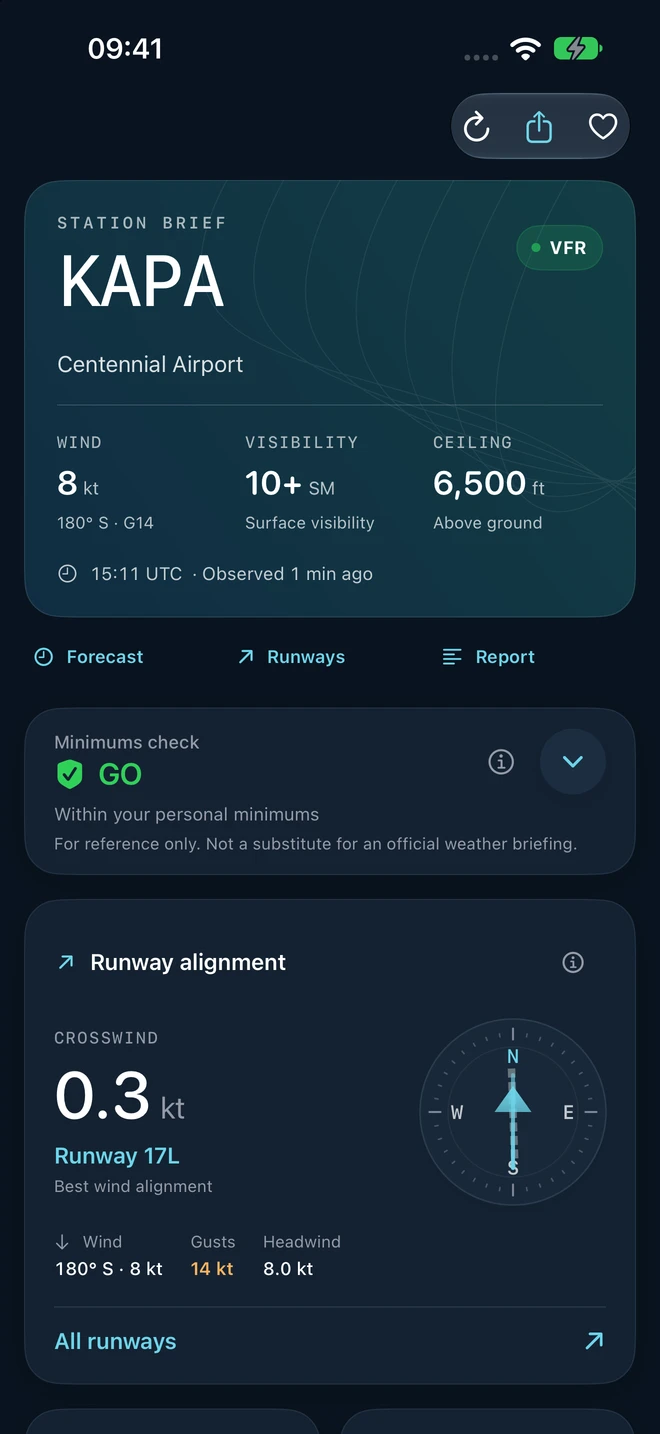
Start with a useful check
Open an airport, read the report, and compare it with your limits. The details stay within reach.
Wind and gusts, ceiling, visibility, temperature, altimeter and density altitude. Report age stays with the reading.
Included freeSet ceiling, visibility, wind, gust and crosswind limits. Choose flight categories you do not accept. Guided setup gives you editable starting points.
Included freeRead the reasons behind GO, NO-GO or INCOMPLETE. Missing or stale required data cannot establish a passing comparison.
Included freeA comparison with your selected limits is informational. It does not determine whether a flight is safe.
Runway winds · Included free
See sustained and gust crosswind, headwind and tailwind across published runway ends with usable data.
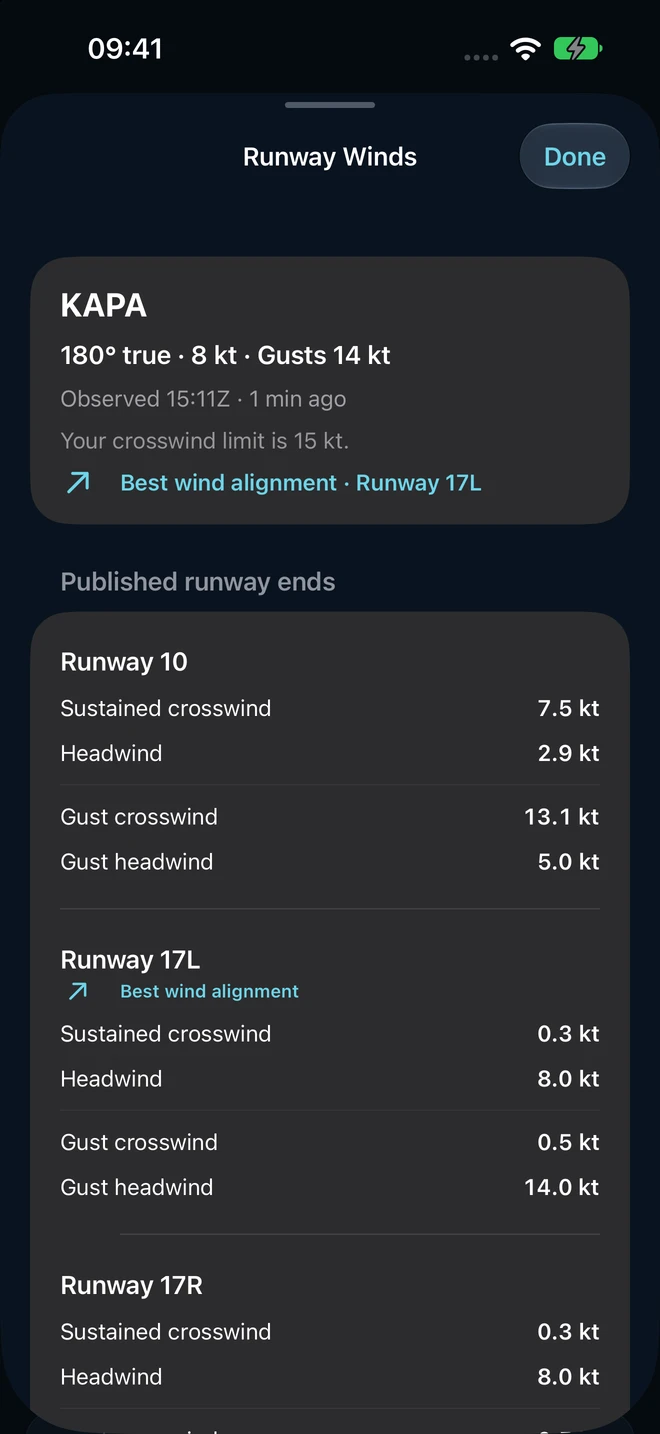
In 1.2.0, the headline crosswind check uses sustained wind on the best-aligned published runway. Inspect gust components here. Alignment does not establish the active or suitable runway; check current NOTAMs and restrictions.
TAF forecasts · Included free
Explore a forecast period, its validity and alternative conditions. Open the original report when you need the detail.
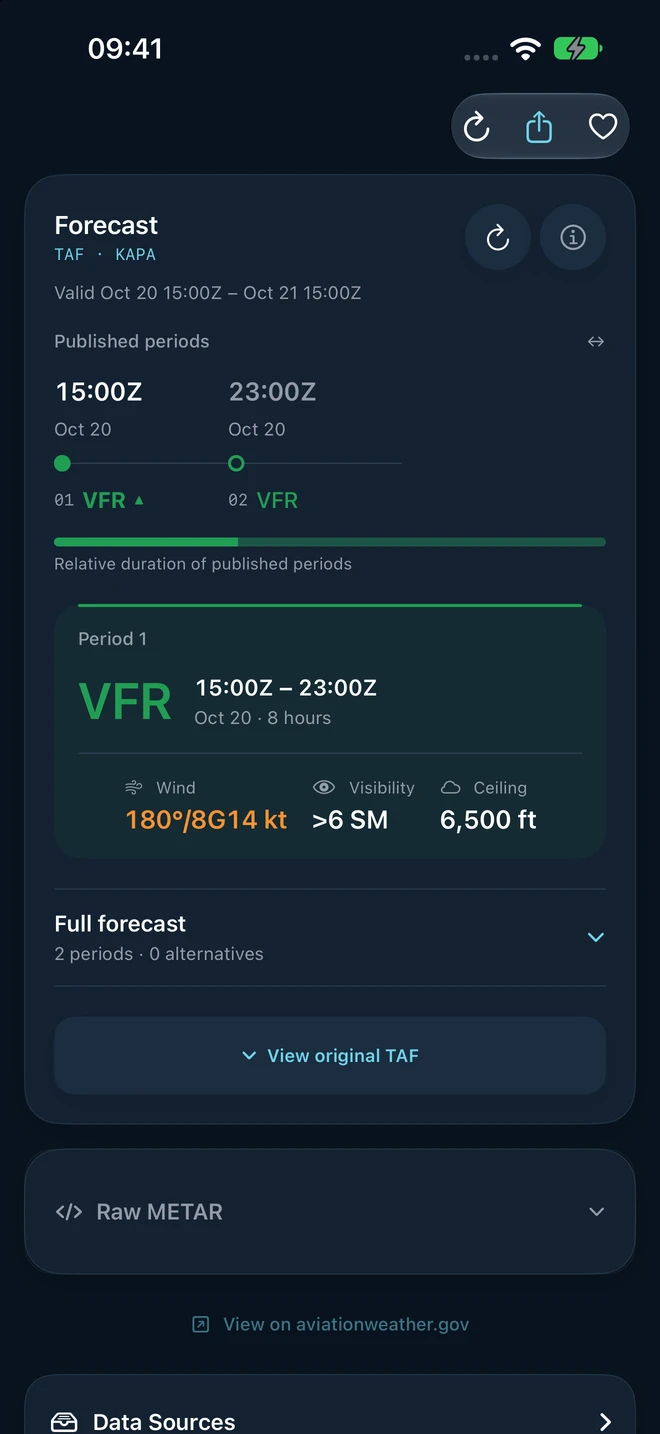
Forecast availability and coverage vary by airport. Current METAR observations do not describe a future trip window.
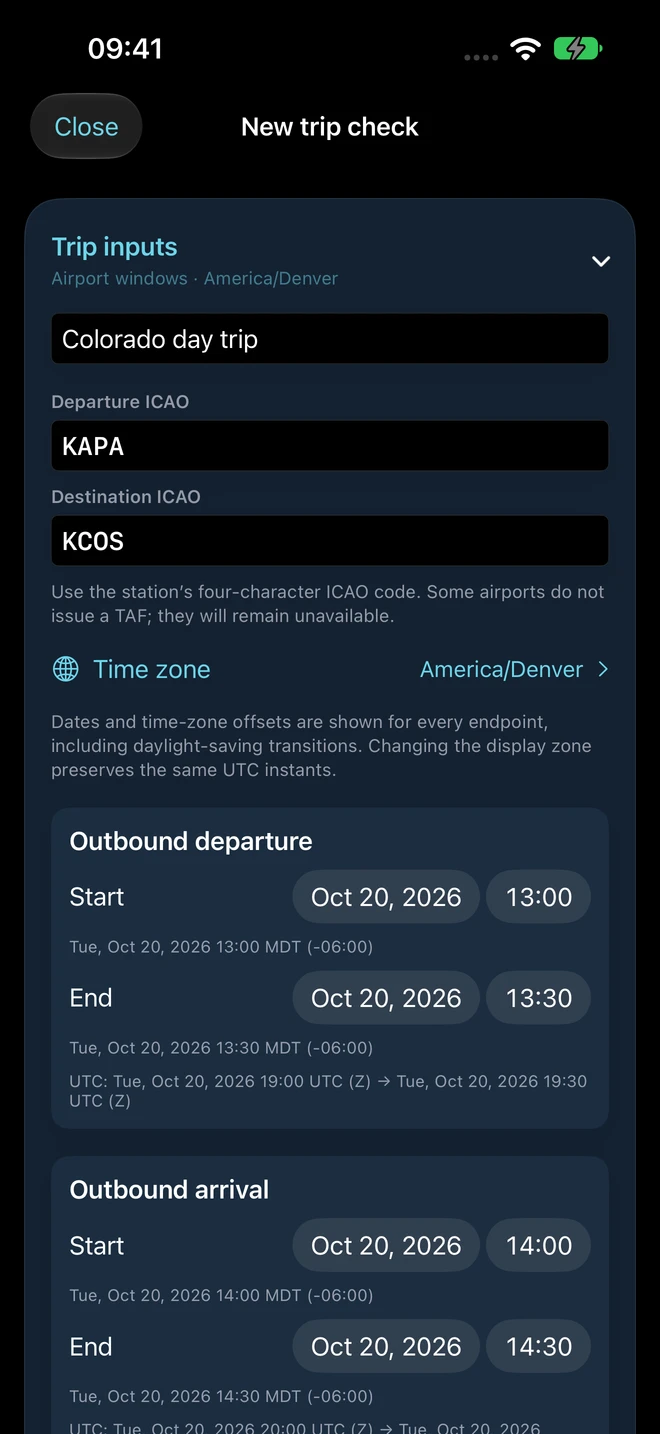
Your next departure. Your way home.
Departure, destination, and an optional return. Compare the available airport forecasts with the same personal limits.
Trip checks cover the selected airport windows. They do not evaluate en-route weather or replace an official briefing. Saved reviews are historical snapshots.
The detail behind the reading
Decoded METARs and TAFs sit alongside the original text, source times and report age.
FAA runway geometry and field elevation can update independently of app releases. Data Sources shows dates and update status.
Keep favorites, find nearby reports with optional location, or browse U.S. reporting stations on the map.
Choose Light, Dark or System appearance. Read weather times in local or UTC. Share a weather summary through iOS.
Minimums Pro
Save a trip for the next check. Keep dated reviews so you can compare the forecast with an earlier review.
Get MinimumsMonthly or yearly subscription, or lifetime purchase. Current prices and eligible offers appear before you buy. Restore Purchases is available.
Airport weather, personal limits, runway winds, forecasts, map, raw reports and sources. Preview the full trip check.
Save up to 20 trips and 20 reviews per trip on this device. Reopen plans, run another check and compare dated reviews.
Saved records stay readable and deletable after Pro expires. Device backup settings may apply.
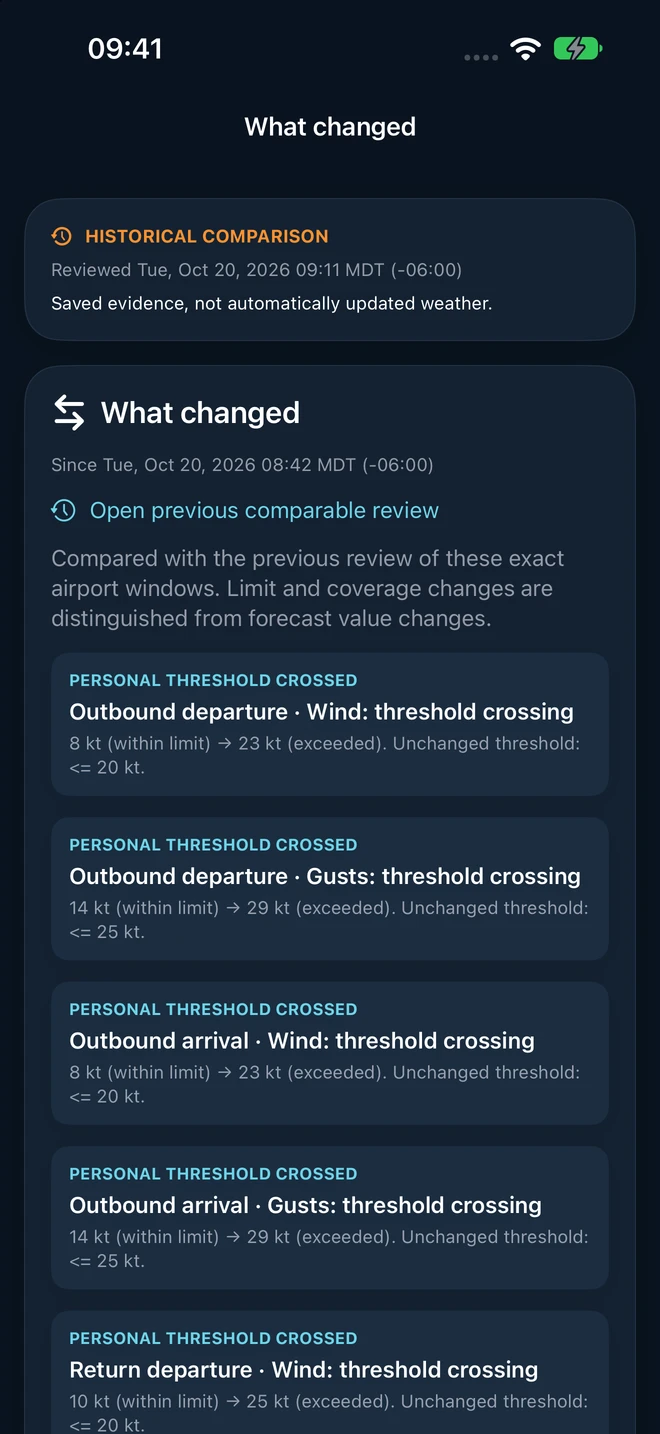
A record of the earlier check · Pro
Compare a new check with an earlier saved review. See the airport windows and the personal limits used for each comparison, alongside the available forecast information.
Save new reviews with Pro. Existing saved records remain available to read or delete after Pro expires.
Airport checks, personal minimums, runway winds, forecasts, maps, raw reports, sources and complete trip previews are free. Pro adds saving trips and new review history. No Minimums account is required.
GO describes the specific available inputs compared with your configured checks. In 1.2.0, its headline crosswind check uses sustained wind on the best-aligned published runway; inspect gust crosswind separately in Runway Winds. It is not a runway assignment, clearance or complete flight-safety decision. Obtain an official weather briefing and review current NOTAMs, restrictions and other information needed for your flight.
Missing, invalid, stale or uncovered required information cannot establish a passing check. Minimums shows the gap. A known exceeded limit can still produce NO-GO when another part is incomplete.
Cached information and saved reviews may remain readable, but they age. New weather and FAA updates require a connection. Saved reviews do not refresh themselves. Minimums is not an offline briefing service.
Saved trips and reviews stay in the app's local storage on this device. You can delete individual reviews or trips, including after Pro expires. Device backup and restore settings may affect these records.